Thomas Pedot
dimanche 22 mars 2026
Tauri Android: Shipping a Mobile App to F-Droid from a Desktop Codebase
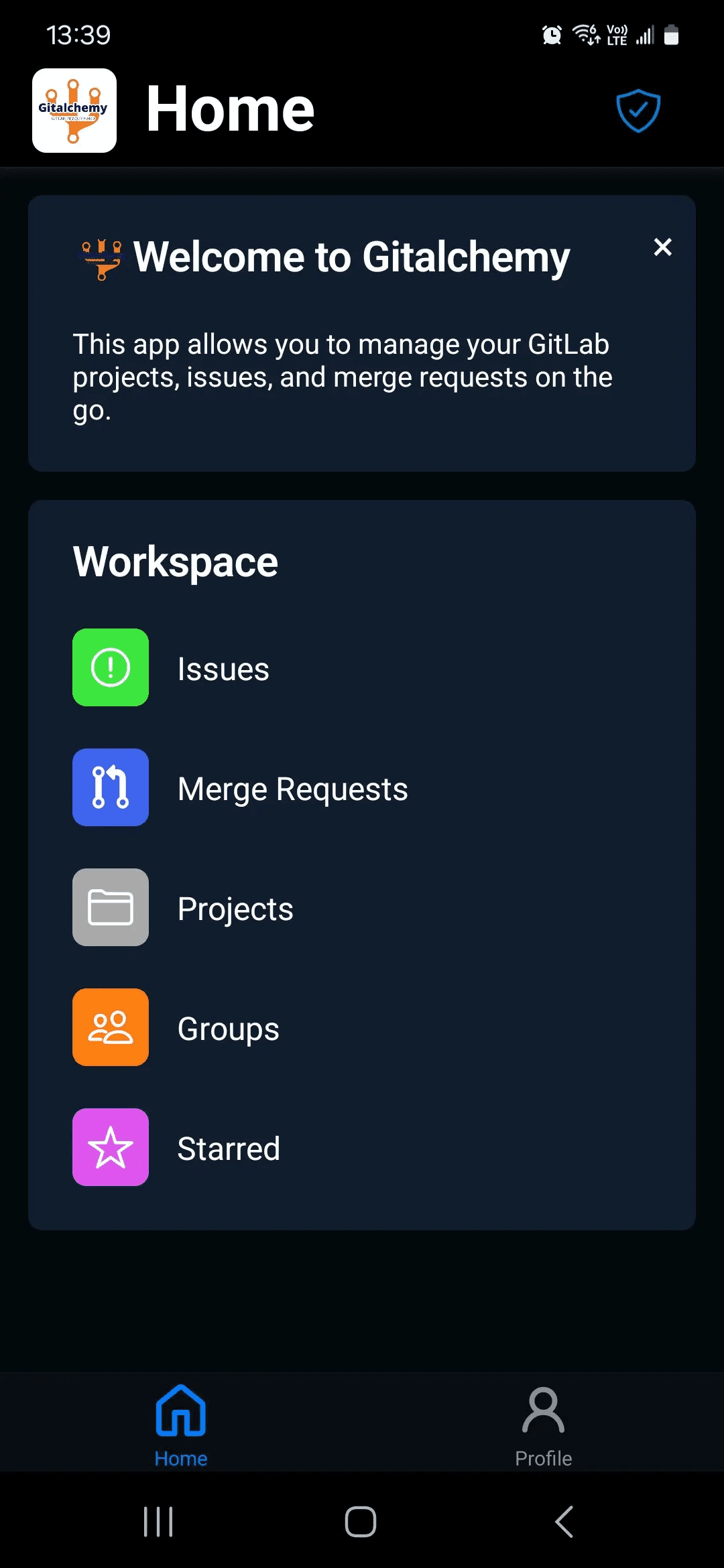
Tauri v2 added Android support in 2024. Most tutorials stop at the point where the emulator boots and the app loads — proof of concept, nothing more. This covers what comes after: building, signing, and distributing a real Android app to both F-Droid and Google Play from the same Rust/TypeScript codebase that already ships a desktop app.
GitAlchemy is a native GitLab client. It runs on Linux, macOS, Windows, and Android from a single codebase: roughly 31,800 lines of React/TypeScript, 1,265 lines of Rust, one Cargo.toml. The app identifier is com.thomas.pedot.gitlalchemy, minimum SDK version 24 (Android 7.0+), and it's currently listed on F-Droid at version 1.2.2.
For the architecture decisions behind the overall Tauri setup — Rust/TypeScript IPC, tauri-specta bindings, the monorepo structure — see the main GitAlchemy build article.
What Changes on Android vs Desktop
Android is not a lighter version of desktop. The constraints are categorical.
The filesystem is sandboxed. There is no /home, no ~/.config, no user-writable path you can assemble with std::path::PathBuf. Any Rust code that constructs absolute paths from string literals will compile fine and fail at runtime on Android. You must use Tauri's path APIs (app.path().app_data_dir()) which resolve to the correct platform-specific location regardless of OS.
There is no window management. Concepts like window position, size, single-instance enforcement, and window state persistence simply don't apply. The entire window plugin stack — tauri-plugin-window-state, tauri-plugin-single-instance — is desktop-only. Loading these plugins on Android panics at startup.
The auto-updater has no equivalent. Android apps are updated through the app store or F-Droid's own update mechanism. The tauri-plugin-updater plugin is desktop-only.
The WebView is system-provided. On Android this is Android System WebView (Chromium-based), on iOS it's WKWebView. You do not control the version. CSS and JavaScript behavior can differ from what you test on desktop, particularly for older Android versions.
Platform-Specific Rust with #[cfg(mobile)]
Tauri v2 exposes two compile-time cfg flags: desktop and mobile. These are higher-level aliases over the individual target_os checks, and they're the correct way to branch behavior in Tauri apps.
The lib.rs entry point in GitAlchemy uses #[cfg_attr(mobile, tauri::mobile_entry_point)] on the run() function. On Android, this attribute is required — it sets up the JNI bridge that Android needs to call into the Rust binary. Without it, the app won't launch.
1#[cfg_attr(mobile, tauri::mobile_entry_point)]
2pub fn run() {
3    // Export TypeScript bindings in debug builds (desktop only — Android filesystem is read-only)
4    #[cfg(all(debug_assertions, desktop))]
5    bindings::export_ts_bindings();
6
7    let mut app_builder = tauri::Builder::default();
8
9    // Single instance plugin — desktop only
10    #[cfg(desktop)]
11    {
12        app_builder = app_builder.plugin(tauri_plugin_single_instance::init(|app, _args, _cwd| {
13            if let Some(window) = app.get_webview_window("main") {
14                let _ = window.set_focus();
15                let _ = window.unminimize();
16            }
17        }));
18    }
19
20    // Window state plugin — desktop only
21    #[cfg(desktop)]
22    {
23        app_builder = app_builder.plugin(
24            tauri_plugin_window_state::Builder::new()
25                .with_state_flags(tauri_plugin_window_state::StateFlags::all())
26                .build(),
27        );
28    }
29
30    // In-app updater — desktop only, Android uses app store
31    #[cfg(desktop)]
32    {
33        app_builder = app_builder.plugin(tauri_plugin_updater::Builder::new().build());
34    }
35
36    // Common plugins — all platforms
37    app_builder = app_builder
38        .plugin(tauri_plugin_http::init())
39        .plugin(tauri_plugin_fs::init())
40        .plugin(tauri_plugin_notification::init());
In Cargo.toml, platform-gated dependencies use the [target.'cfg(...)'.dependencies] syntax rather than cfg blocks in source files:
[target.'cfg(not(any(target_os = "android", target_os = "ios")))'.dependencies]
tauri-plugin-single-instance = "2"
tauri-plugin-updater = "2"
tauri-plugin-window-state = "2"
This prevents the Android build from pulling in crates that depend on desktop-only system APIs.
Android Path Handling
The preferences system illustrates the path problem concretely. The code uses app.path().app_data_dir() to resolve the writable directory:
1fn get_preferences_path(app: &AppHandle) -> Result<PathBuf, String> {
2    let app_data_dir = app
3        .path()
4        .app_data_dir()
5        .map_err(|e| format!("Failed to get app data directory: {e}"))?;
6
7    std::fs::create_dir_all(&app_data_dir)
8        .map_err(|e| format!("Failed to create app data directory: {e}"))?;
9
10    Ok(app_data_dir.join("preferences.json"))
11}
On Linux this resolves to something like ~/.local/share/com.thomas.pedot.gitlalchemy/preferences.json. On Android it resolves to the app's internal storage under /data/data/com.thomas.pedot.gitlalchemy/. The code is identical. If you hardcode a path instead, it works on desktop and silently fails on Android.
The same principle applies to TypeScript bindings export. The line bindings::export_ts_bindings() writes generated TypeScript files to the project directory during development. That write operation is gated on #[cfg(all(debug_assertions, desktop))] because the Android filesystem is read-only from the app's perspective at the source tree path.
Build Setup
The local build script handles environment variables that vary between machines:
export ANDROID_HOME=${ANDROID_HOME:-$HOME/Android/Sdk}
export NDK_HOME=${NDK_HOME:-$HOME/Android/Sdk/ndk/$(ls $HOME/Android/Sdk/ndk | sort -V | tail -1)}
source ~/.cargo/env
bun run tauri android build
The required Rust targets for a universal APK are aarch64-linux-android, armv7-linux-androideabi, i686-linux-android, and x86_64-linux-android. The F-Droid build config uses NDK r26d. Android Studio handles NDK installation; from the command line, sdkmanager "ndk;26.3.11579264" installs the same version.
tauri android init generates the Android Gradle project under src-tauri/gen/android/. That directory is committed and the generated Kotlin/Java glue code is version-controlled. The output APK for F-Droid submission is at src-tauri/gen/android/app/build/outputs/apk/universal/release/app-universal-release-unsigned.apk.
F-Droid Submission
F-Droid builds every app from source. No pre-built binaries, no proprietary runtimes. This is the requirement that eliminates Expo (Hermes), React Native (Hermes), and any framework that bundles a closed-source JS engine.
Tauri's Android WebView is the system's Android System WebView — it's not bundled, not proprietary, and F-Droid has no objection to it. The Rust toolchain is open source. The entire dependency tree is auditable.
The F-Droid metadata file (com.thomas.pedot.gitlalchemy.yml) defines exactly how F-Droid builds the app on its servers:
1Builds:
2  - versionName: 1.2.2
3    versionCode: 1002002
4    commit: v1.2.2
5    timeout: 14400
6    sudo:
7      - apt-get install -y curl ca-certificates gnupg build-essential
8      - curl -fsSL https://deb.nodesource.com/setup_22.x | bash -
9      - apt-get install -y nodejs
10    init:
11      - curl --proto '=https' --tlsv1.2 -sSf https://sh.rustup.rs | sh -s -- -y --default-toolchain 1.82
12      - rustup target add aarch64-linux-android armv7-linux-androideabi i686-linux-android x86_64-linux-android
13      - cargo install tauri-cli --version "^2.0.0" --locked
14      - export ANDROID_HOME=$$SDK$$ && export NDK_HOME=$$NDK$$ && cd apps/desktop && cargo tauri android init
15    output: apps/desktop/src-tauri/gen/android/app/build/outputs/apk/universal/release/app-universal-release-unsigned.apk
16    build:
17      - bun install --backend=copyfile
18      - export ANDROID_HOME=$$SDK$$ && export NDK_HOME=$$NDK$$
19      - cd apps/desktop && bunx tauri android build --apk
20    ndk: r26d
F-Droid substitutes $$SDK$$ and $$NDK$$ with its own managed SDK and NDK paths. The timeout: 14400 (4 hours) accounts for Rust compilation time — building a Tauri app for four Android targets from scratch is slow.
The version code format is major * 1000000 + minor * 1000 + patch. Version 1.2.2 becomes 1002002. This must be consistent with the versionCode in the Android Gradle config that tauri android init generates.
CI: Signing and Dual Distribution
The GitLab CI pipeline handles lint, typecheck, and tests on every push. The Android build is separated — it runs on tags and requires Android toolchain setup that adds significant build time.
For Google Play, the APK must be signed with a release keystore. The keystore is generated once and stored as a CI secret variable:
keytool -genkey -v \
  -keystore ~/.tauri/gitlalchemy-release.keystore \
  -alias gitlalchemy \
  -keyalg RSA -keysize 2048 -validity 10000 \
  -dname 'CN=Thomas Pedot, O=Gitlalchemy, C=FR'
For F-Droid, the APK is submitted unsigned — F-Droid signs it with its own key during the build. This is why the F-Droid output path explicitly says app-universal-release-unsigned.apk. The F-Droid-signed APK and the Google Play-signed APK are not interchangeable: installing one over the other requires uninstalling first.
iOS is a separate matter. There is no F-Droid equivalent for iOS. Distribution options are the App Store (requires a $99/year Apple Developer account) or sideloading, which is not viable for public distribution. The iOS build in the CI config is commented out and requires a self-hosted macOS runner with Xcode.
What Tauri Android Actually Gives You
The practical result: one codebase, four desktop targets, one Android target. The F-Droid listing is live. The architecture — React/TypeScript for UI, Rust for system access, Tauri's typed IPC bridge between them — scales to mobile without maintaining a separate React Native project.
The constraints are real. WebView differences require testing on actual Android versions, not just the emulator. The read-only filesystem assumption catches developers who haven't thought about it. The NDK version pinning matters for reproducible F-Droid builds. But these are solvable problems, and the alternative — maintaining separate desktop and mobile codebases — has compounding costs.
GitAlchemy is open source. The full source, including the F-Droid metadata and the Rust/TypeScript setup, is at the GitLab link below. For the complete architecture overview including the IPC layer, tauri-specta bindings, and the Turborepo monorepo structure, see the main GitAlchemy build article.